…and anything else that can read a file on your Mac.
Last night · 11:40 PM
You have explained the bug to Claude three times now. The bug is still there.
Claude usage: 94%. Your 5-hour limit resets at 2:40 AM.
Sound familiar?
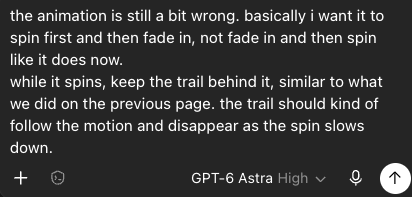
Your agent only knows what you managed to describe.
Arrows on a screenshot lose the plot.
Describing a UI bug is a tax.
Talk mode
Talk Mode
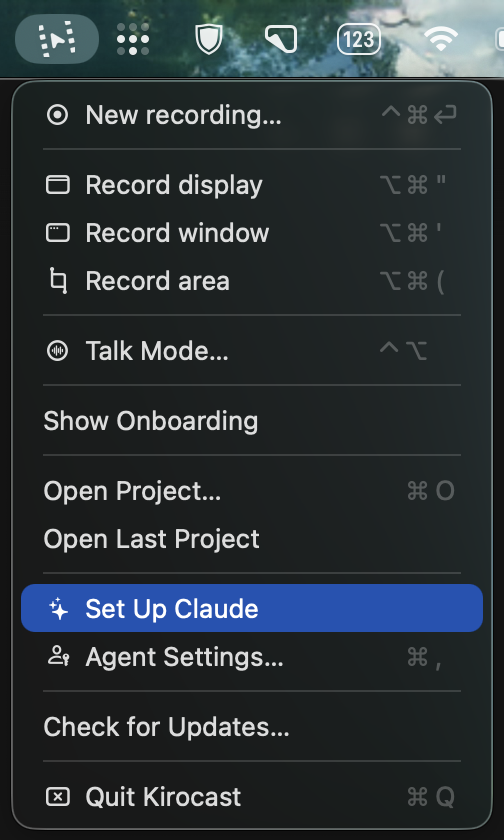
Hold ⌃⌥, speak, highlight what matters, then release. Your recording and instructions are ready to paste into your AI agent.
Hold ⌃⌥
Start recording your screen and microphone.
Speak
Say what you want your AI agent to understand.
Highlight
Circle or point to what matters on screen.
Release
Kirocast copies everything, ready to paste into your AI agent.
You’re about to record your codebase
Your screen stays yours.
Kirocast is a local-first app. Your source, your staging data, your customers’ names: recorded, edited, transcribed and exported entirely on your own Mac, as files you own.
On-device by design
Capturing, editing, transcribing, and exporting all run on your Mac. Neither your recordings nor the sidecar files are ever uploaded to a server.
Privacy masks
Blur an API key, a customer name, or a whole pane before a single frame leaves the app. Masks are kept even in the AI export.
Works offline
No cloud processing and no always-on connection. Record and export on a plane if you like.
Act two
And then it’s time to ship it.
When it is time to ship, Kirocast captures polished product demos. Automatic zoom, annotations, backgrounds and captions turn a clean walkthrough into the launch video. One app, one purchase, both ends of the build.
Automatic zoom
Kirocast makes your demos look cinematic, the moment you stop recording.
Smart auto-zoom
The moment you stop recording, Kirocast zooms in on the clicks and actions you performed on screen.
Advanced editing
Drag any zoom on the timeline, add your own, or adjust the easing. Trim, cut, and change the pace.
Smart annotations
Call attention to anything, without ever reaching for a drawing tool.
On the fly
Loop your cursor around something a few times while you record. Kirocast spots the gesture and draws the annotation in post.
Editing
Reposition, restyle, or remove any annotation. Full control whenever you want it.
Automatic captions
Clear captions for every recording - transcribed on your Mac.
Transcribed on-device
Kirocast transcribes your audio locally with the Parakeet speech model. Nothing leaves your Mac. The language you speak is auto-detected as you transcribe.
Captions that keep up
Subtitles are burned into the preview and the export, highlighting each word as it’s spoken. Resize them to taste.
Yours to edit and export
Fix any word right in the editor, click a word to jump the playhead there, or export an .srt subtitle file.
Made with Kirocast
Recorded, cut and exported in the app, by the people who ship with it.
Worktrees in T3 Code
A product walkthrough, recorded and cut in Kirocast
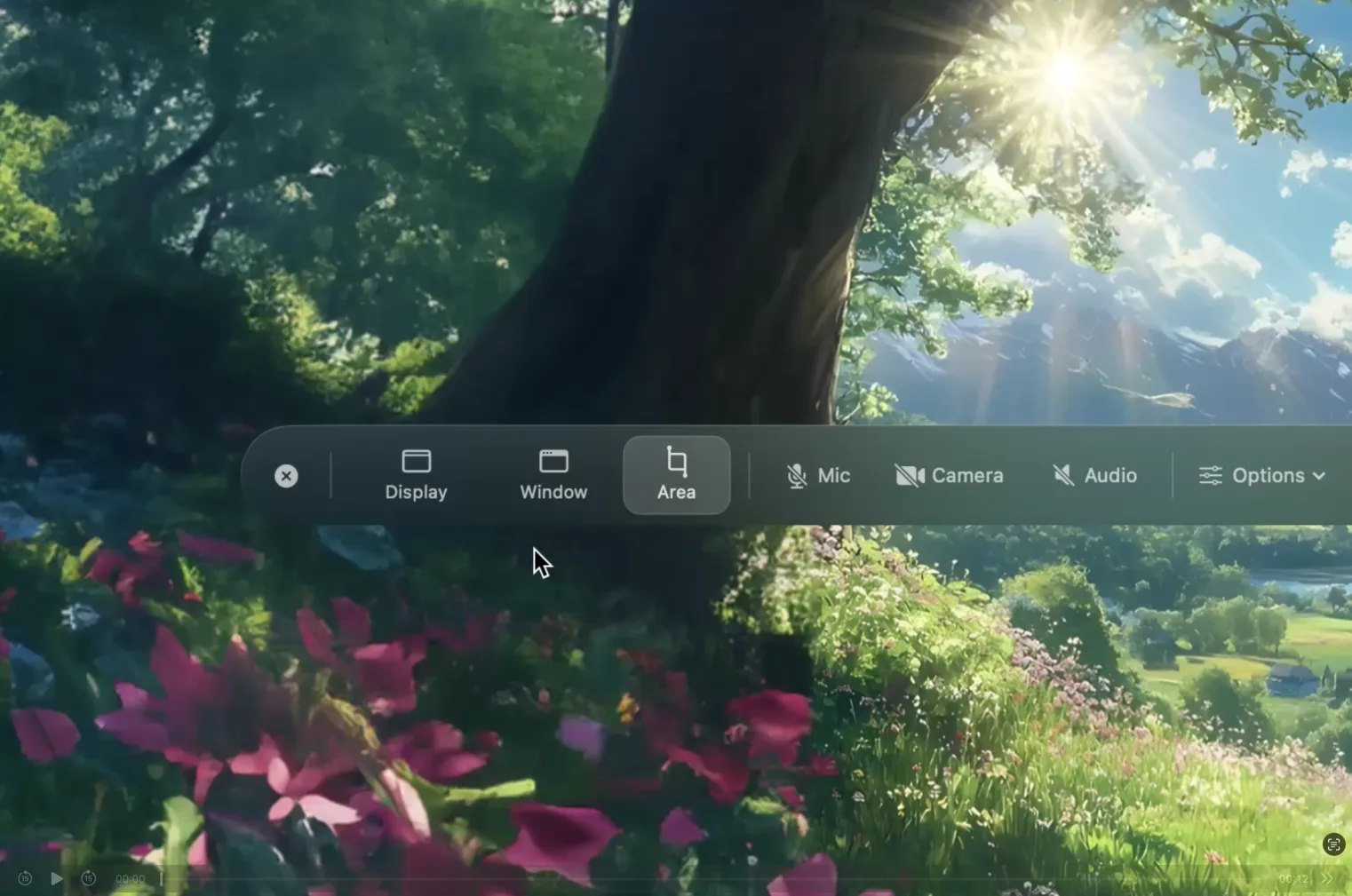
The Kirocast recording bar
Kirocast’s own walkthrough, recorded in Kirocast
記録
Our one rule
One job: get what’s on your screen understood.
By a model while you’re building it. By a human when you launch it. One recorder with one purpose, doing that job at both ends of the same build.
記録kiroku : to record, to chronicle. Kirocast is how you broadcast yours.
Kirocast is 100% native, built on the same Apple frameworks pro apps rely on.
Made for M chips.
Encoding runs on the media engine built into Apple silicon, so exports finish fast and stay easy on the battery.
Swift, native to the Mac.
Real Mac controls, instant launch, a tiny footprint. Not a website in a window.
Everything drawn by Metal.
Backgrounds, zoom, and effects render on the GPU. Smooth at any size, never sluggish.
Native to the Mac, tuned for macOS 15 Sequoia and later.
One price.
One-time payment. No subscription.
Get Kirocast early. Pay less ✨
Try it risk-free. If Kirocast doesn’t fit your workflow, email us within 14 days and we’ll refund your purchase.
Kirocast personal for macOS
1 device
$39$49
Limited offer for early users ✨
80 spots left before the price goes up
✓One-time payment
✓14-day money-back guarantee
✓All features unlocked from day one
✓All updates included
✓Native macOS app
✓1 device license
Secure checkout by Stripe.Prices are in USD, excluding VAT and may vary by location.
Common questions
The things people ask before they hit record.
How does Talk mode work?
Hold Control and Option anywhere on your Mac. Kirocast records the screen under your pointer and your microphone for as long as you hold: talk about what is wrong, point at it, circle anything you want looked at. Let go, and a prompt naming the recording, your transcript and the events file is already on your clipboard. Paste it into your agent. It needs the Accessibility permission once, so the held keys stay off your clicks.
Which AI agents does this work with?
Any agent or model that can read a file on your Mac - Claude Code, Cursor, Codex, Copilot, Cline, or a chat you paste into. The integration is the file system: Kirocast writes plain JSON next to the video and copies a prompt with the three paths in it, and your agent takes it from there.
What is actually in the .events.json file?
A self-describing JSON object: the video’s duration, resolution and frame rate, then every event on the same timeline as the exported video - clicks with normalised x/y coordinates, the circles you drew with the name of the element under each, zooms, cursor positions, effects, privacy masks and clip cuts, each with a timestamp in seconds. The root object carries its own format and conventions keys, so a model needs no external documentation to read it.
Why send a recording rather than a screenshot?
A recording carries sequence and timing. Kirocast writes both down for the model: what you clicked and when, what you circled, how long each step took, which effects and masks were on screen, and a word-level transcript of what you said while it happened. Your agent gets the steps that produced the bug as well as the state it ended in.
Does anything get uploaded?
No. The video, the events file and the transcript are written to your Mac, next to each other, whether the take came from Talk mode or from Export for AI. Transcription runs on-device with the Parakeet speech model. Kirocast copies file paths to your clipboard - what your agent does with them afterwards is between you and your agent.
How big are the files an agent has to read?
Small on purpose. The video an agent gets caps the long edge at 1536 px and drops to 5 fps, because a model samples the video into stills rather than watching it - so a twelve-second recording lands around a megabyte instead of twelve. The sidecars are a few kilobytes of JSON.
How much does Kirocast cost?
Kirocast Personal is a one-time $39 launch purchase for the first 100 customers, normally $49. Kirocast license, including all updates.
Does the Personal license renew?
No. Personal is a one-time payment with no automatic renewal. You get the Kirocast license, including all updates.
Can I get a refund?
Yes. Your initial Kirocast software license purchase has a 14-day money-back guarantee. No reason needed, and no support ticket: email gabrielle@kirocast.com from the address you bought with. Our Refund Policy page has the details.
Is it a real Mac app?
Completely. Kirocast is 100% native, built on Apple’s own frameworks, with no Electron and no web wrapper. It launches instantly and stays light.
What do I need to run it?
A Mac running macOS 15 Sequoia or later.
Is there a free trial?
Yes. Download Kirocast and use every feature for free - recording, auto-zoom, privacy masks, backgrounds, the editor. Export is the one thing a license unlocks, so you can see exactly what you would be paying for before you pay.
When can I get it?
Kirocast is in early access on macOS. Buy once and keep every update as it lands.







 Kirocast personal for macOS